

Instead of manually rewriting release copy for every X post, set up an approval-first press release Twitter announcement workflow that turns verified facts into a concise announcement linked to the full release. This 2026 guide covers the source document, post drafting, publication checks, and follow-up without confusing social activity with media coverage.
- Use an approval-first press release Twitter announcement workflow: verify the release, adapt the message, then publish on X.
- India PR Distribution provides press release writing and distribution; an X announcement supports, rather than replaces, media outreach.
- Keep paid placement, distribution, and independent editorial coverage separate in announcement copy.
- For a standard X post, draft within 280 characters and check the final composer before publishing.
Why this matters
A press release and an X announcement serve different jobs. The release records the news, supporting facts, and media contact; the post gives readers a reason to open it. Copying the release headline without context leaves the audience to work out why the announcement matters.
India PR Distribution is suited to businesses, startups, and PR professionals seeking press release writing and distribution to Indian media. An X post is a supporting communication, not a substitute for that distribution work. Explore India PR Distribution when your campaign needs writing or distribution alongside social publication.
Keep the distinction explicit in your 2026 campaign brief: sending a release to an outlet is not the same as securing a published article, and sharing a link is not evidence of independent editorial endorsement.
Before you start
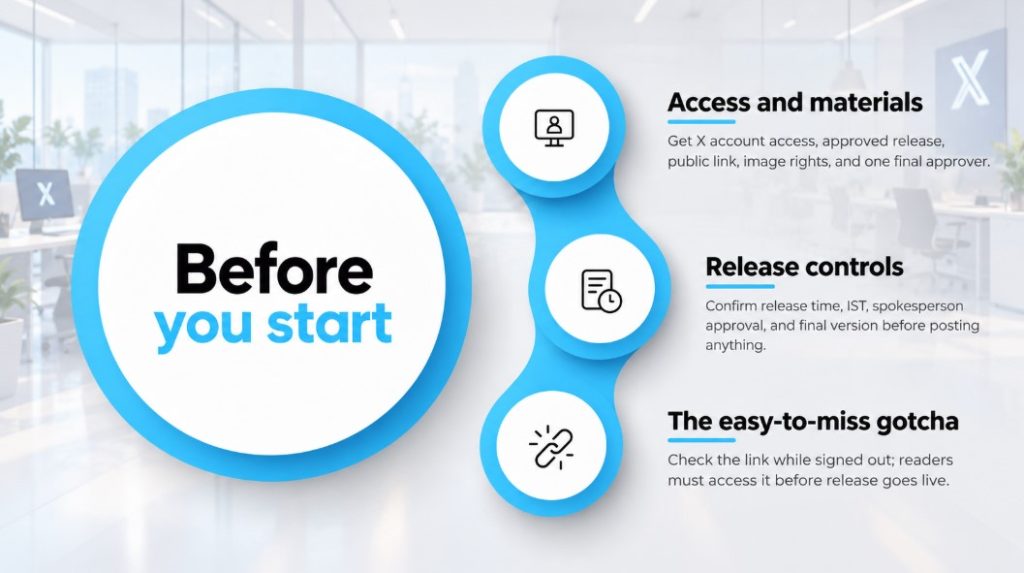
- Access and materials: Have posting access to the correct X account, the approved release, a public destination link, and permission to use any accompanying image. Assign a named approver before drafting.
- Release controls: Record the authorised publication time and time zone, the spokesperson approval, and the final source version. For an Indian launch, label IST explicitly rather than leaving the time zone unstated.
- The easy-to-miss gotcha: The source document can be accessible to your team but inaccessible to readers. Open the destination while signed out, and keep embargoed material private until the authorised release time.
Use a shared document or campaign sheet for the workflow below. The bold field names are labels to create in that document, not claims about a particular software interface. Only the X publication control is identified as an application button.
Source record configuration
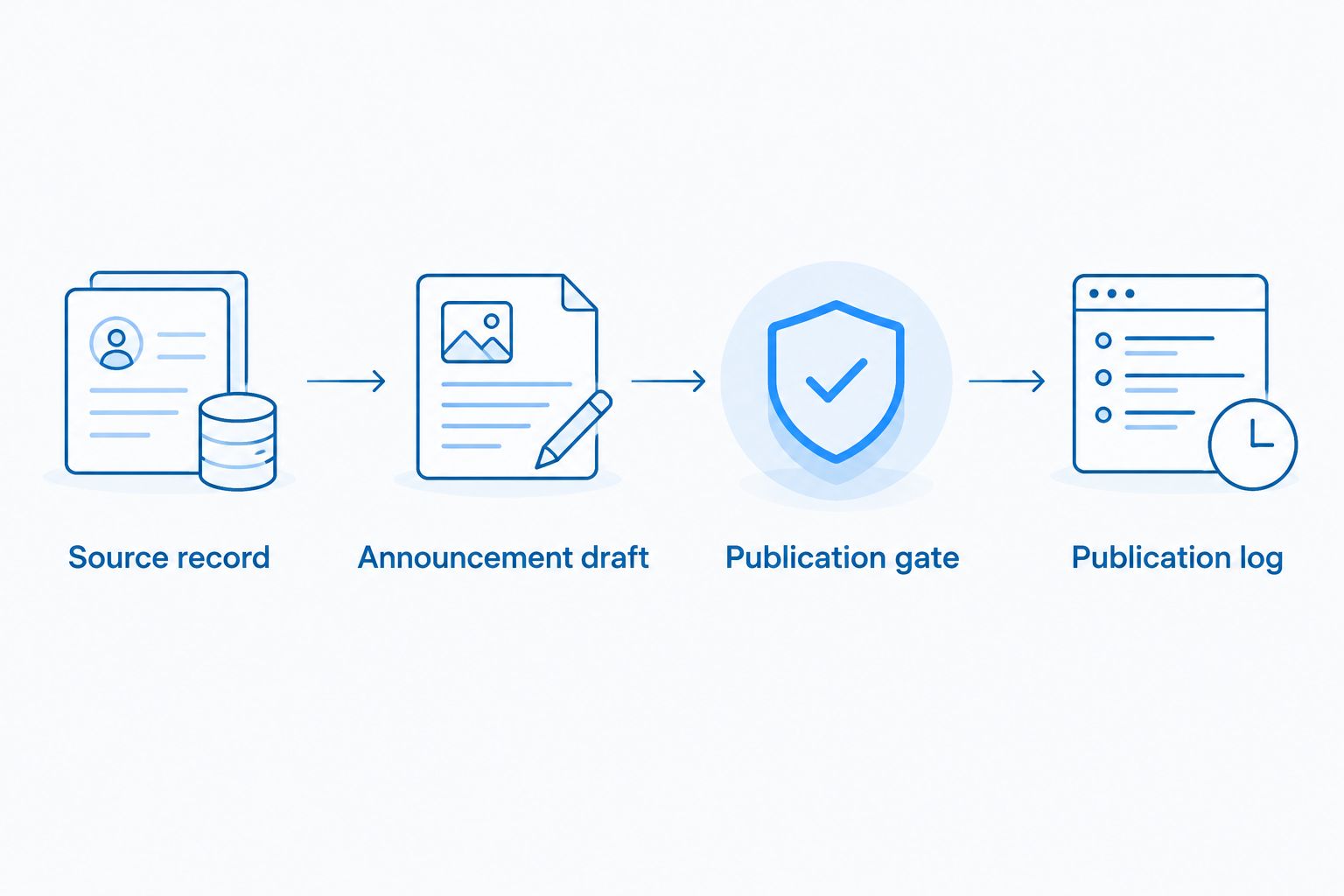
Create a single source record before writing social copy. This prevents the release, the X post, and the spokesperson’s talking points from drifting apart during approval.
- Create a field named Approved release: Paste the final text or reference the approved document, and identify its version so reviewers know which facts govern the announcement.
- Add Public destination: Enter the page readers should reach from X, not an internal review document or a link requiring account access.
- Add Core news: Write one factual sentence stating what happened, who is involved, and why the intended reader should care. Remove promotional adjectives that add no information.
- Add Evidence: Record the exact release passage supporting each proposed claim. If a figure, customer name, or outcome is absent from the approved release, leave it out of the post.
- Add Publication permission and Release time: Record who authorises publication and the complete time-zone instruction, including any embargo.
- Add Campaign owner: Name the person responsible for resolving conflicting edits and checking the published result.
Expected result: You have one approved source, one public destination and one accountable owner. Another team member can identify the permitted facts without searching through message threads.
For a 2026 campaign, retain the approved source after publication rather than replacing it with later edits. A later correction needs a visible version history; otherwise, the team cannot establish which information supported the original post.
Announcement draft configuration
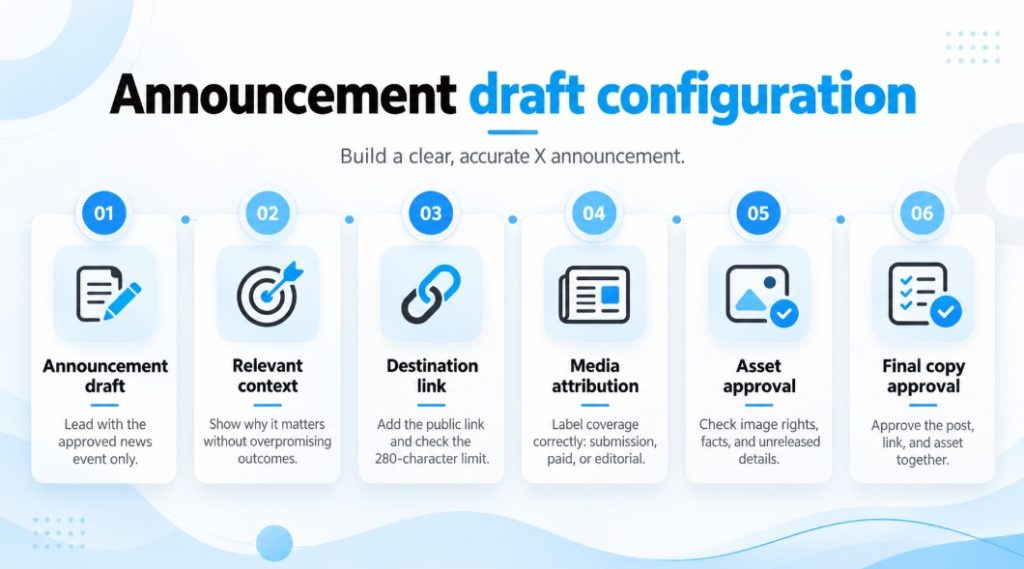
The announcement needs a clear news statement, not a compressed press release. Start with the reader’s reason to care, then add the destination that supports the claim.
- Create Announcement draft: Lead with the actual development: a launch, expansion, appointment, partnership, or other approved news. Use only the event type your release establishes.
- Add the most relevant context: Explain the audience or practical significance without promising results the release does not substantiate. Keep supporting detail on the destination page.
- Add the destination link: A standard X post has a 280-character limit; X processes links through its shortening system, so use the final composer as the character-count check rather than counting a pasted URL manually.
- Create Media attribution: If the post mentions a publication, verify what happened: submission, paid placement, or journalist-selected coverage. Do not turn a submission into a claim of publication.
- Create Asset approval: Check image rights, factual text within the image, and whether the asset reveals anything not yet authorised for release.
- Create Final copy approval: Ask the approver to approve the actual post, destination and asset together. Approval of the release alone does not resolve changes introduced during adaptation.
Expected result: The announcement makes a supportable claim, fits the chosen X format and sends readers to evidence that is accessible outside your organisation.
Use this drafting structure: verified news, reader relevance, source link. You do not need to include every executive name, company descriptor or release paragraph. If the post loses its meaning when shortened, remove secondary detail before removing the core news.
Choose the right communication route
These approaches support different campaign objectives. Choose by the job you need done, not by treating every public mention as equivalent coverage.
| Approach | Best for | Advantage | Limitation |
|---|---|---|---|
| X announcement | Sharing approved news through your account | You control the wording and publication decision | Publication does not guarantee attention or journalist interest |
| Press release distribution | Submitting an approved release to media outlets | Gives the campaign a defined media-submission activity | Submission alone does not establish publication |
| Journalist outreach | Presenting a relevant story to a specific reporter | Allows a tailored explanation of the news angle | The journalist retains the editorial decision |
| Paid placement | Purchasing a clearly defined publication deliverable | Terms can specify what is being purchased | It is not independent editorial selection; verify disclosure and package terms |
India PR Distribution provides press release writing and distribution services. Agree the scope separately from social posting, and confirm any placement terms before describing an outlet appearance in your announcement.
Publication gate configuration
Build the final check around the approved release time, not around when a draft happens to be ready. The 2026 publication gate should protect against premature disclosure and incorrect account selection.
- Add Ready to publish to the campaign record: Mark it complete only when the source, copy, destination, asset, and timing have all been approved.
- Sign in to the intended X account: Check the account identity before opening the composer, especially when you manage founder and company accounts in the same session.
- Paste the approved announcement into the composer: Compare the complete text against the approved draft and inspect the character count, link, and attached asset.
- Recheck the destination while signed out: Confirm that it displays the intended release and does not expose an unpublished draft, expired page, or login screen.
- Wait until the authorised publication time: Select Post only after the release is cleared for public access.
- Open the published post and test its link: Record the post reference and actual publication time in the Publication log.
Expected result: The correct account has published the approved announcement, the destination is reachable, and the campaign record shows what went live.
A link preview is a presentation aid, not the source of truth. If the preview looks wrong, inspect both the destination and the post before proceeding; do not assume that replacing the announcement text fixes the page metadata.
Follow-up record configuration
Publishing is the start of response handling, not proof that the campaign achieved its objective. Keep social responses and media outcomes in separate fields so reporting remains accurate.
- Create a response owner: Assign responsibility for questions about the announcement, including factual questions that need input from the spokesperson or campaign team.
- Create Social response: Record relevant replies, questions, and available post analytics without describing them as media placements.
- Create Media outcome: Record confirmed published coverage separately, including the outlet, article reference, and whether the appearance is paid or independently selected.
- Create Correction status: Note any disputed fact, broken destination, or required clarification, together with the approved action and owner.
Expected result: Your 2026 campaign record distinguishes the post, its responses, and actual media outcomes. A social link share cannot accidentally become a claimed editorial placement in the campaign summary.
Keep the reporting question specific: did readers receive the correct announcement, did the destination work, and what verified response followed? Avoid attributing enquiries or coverage to X without evidence connecting the outcome to the post.
Publish a follow-up when the release changes
A corrected release and an additional announcement are adjacent workflows, but they require different decisions. Do not automatically repost every document edit.
- Factual correction: Stop pending publication if possible, correct the source and obtain fresh approval. If the post is already public, agree on a clear correction that addresses the inaccurate claim rather than silently changing only the destination.
- New development: Draft a follow-up around the newly approved information. Explain what changed instead of repeating the original announcement with a different opening sentence.
- Copy-only revision: Fix formatting or wording in the source record without manufacturing another news event. Review a public post only if the revision affects what readers need to understand.
The trigger for another post is a reader-relevant change, not a saved file. Record the relationship between the original release and the update so the response owner can answer questions consistently.
Troubleshooting
1. The draft exceeds the character limit
Remove the company boilerplate, repeated names, and secondary claims before cutting the news itself. For a standard post, keep the draft within 280 characters and verify it in the composer; longer-post features should not be assumed across accounts.
2. The release link works internally but not publicly
Open the destination while signed out and check its access settings with the page owner. Do not publish a private document link and expect readers to request permission; use an authorised public destination.
3. The social copy overstates media coverage
Replace the claim with the event that actually occurred. A release submitted to a publication is a submission, while paid placement and independently selected editorial coverage must be described separately and accurately.
4. The wrong account is selected
Stop before selecting Post, switch accounts, and repeat the final identity check. If publication has already happened, have the campaign owner decide the correction and record it; publishing again from the correct account does not resolve the original error.
5. A stale preview shows the wrong headline
Check that the destination is correct, then ask the page owner to inspect its sharing metadata. Recheck the composer before publishing, and avoid repeatedly issuing the same announcement merely to test preview changes.
Customize your workflow
For a product launch, align the X announcement with the approved release and the actual public launch state. The product-launch press release distribution guide is a relevant next read when planning the distribution side of that campaign.
For founder-led communication, assign separate approval to the company announcement and the founder’s interpretation. Personal commentary must not introduce an unsupported commercial claim or confidential detail that the approved release deliberately excludes.
Brief India PR Distribution on the news, intended Indian audience, release timing, and required writing or distribution support. Ask which deliverables belong to the agreed service scope; do not assume that social posting or a particular outlet placement is included.
Discuss your press release campaign
Share your announcement, target audience, and required writing or distribution support.
FAQ
Q1. How do I turn a press release into a Twitter announcement?
Answer: Extract the approved news, explain its relevance, and link to the public release. Approve the final X copy separately, check the destination, and publish only after the release is cleared.
Q2. How long should a press release announcement on X be?
Answer: Keep a standard X post within 280 characters. Check the complete draft in the composer, including the link, rather than assuming that the press release headline will fit.
Q3. Should I publish the release or the X post first?
Answer: Make the authorised destination publicly accessible before publishing the X post that links to it. Respect any embargo and record the publication time zone.
Q4. Does posting a release on X count as media coverage?
Answer: Posting through your own X account is social publication, not independent media coverage. Record journalist-selected coverage and paid placement separately from the announcement.
Q5. Can this workflow run automatically whenever a release changes?
Answer: Do not publish automatically from every document change. Route factual changes through approval, and issue another post only when readers need a correction or a meaningful update.
Q6. Can India PR Distribution help with the release itself?
Answer: India PR Distribution provides press release writing and distribution services for businesses, startups, and PR professionals seeking Indian media coverage. Confirm the campaign scope and any placement terms before committing to the service.
Q7. What should a 2026 announcement approval include?
Answer: Approve the final post text, destination, asset, publishing account, and release time. Keep the approval with the source record so later edits do not obscure what was authorised.
One last thing
Test the announcement from the reader’s position, not the publisher’s account. A correct post can still fail its purpose when the linked release requires permission, contradicts the post, or omits the promised detail. The signed-out destination check is the final gate to keep in every 2026 campaign.