

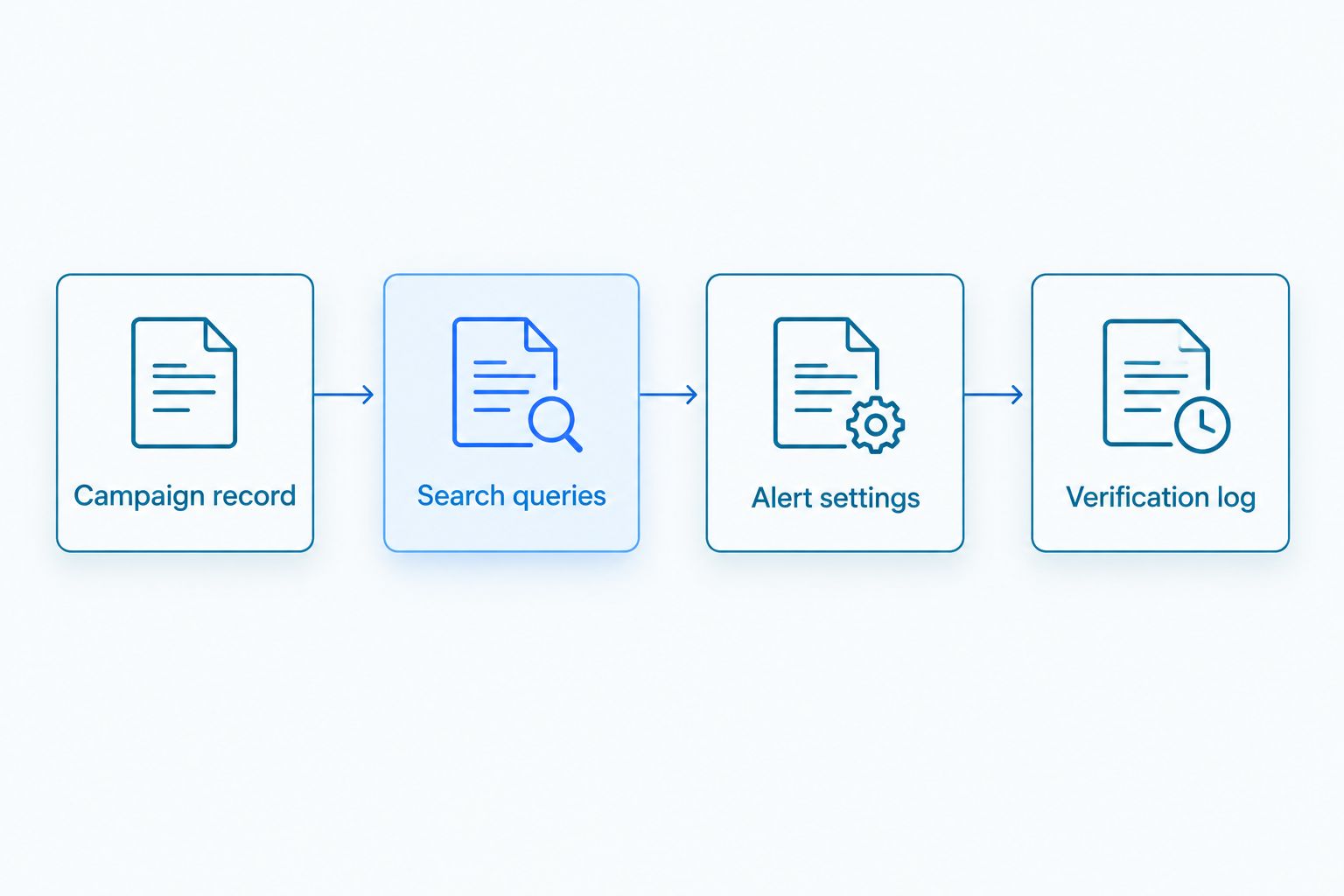
Instead of manually searching for your press release every day, set up Google Alerts to send matching web mentions to your inbox. This 2026 press release Google Alerts monitoring workflow connects your approved announcement, search queries, and coverage log without treating every alert as verified media coverage.
Key Takeaways
- Google Alerts suits press release Google Alerts monitoring for discovering mentions, not proving complete media coverage.
- India PR Distribution provides press release writing and distribution; Google Alerts adds a separate monitoring workflow.
- Track your brand name and a distinctive announcement phrase separately to catch different versions of the story.
- Verify each live page before classifying it as distribution pickup, paid placement, or independent editorial coverage.
Why this matters
Google Alerts is a discovery channel, not a distribution report. An alert tells you that Google found a matching result. It does not establish how the page was published, whether a journalist selected the story, or whether every placement has been found.
India PR Distribution provides press release writing and distribution services for businesses, startups, and PR professionals seeking Indian media coverage. Your monitoring process should sit alongside that service, not replace the campaign’s delivery records.
For a 2026 campaign, separate finding mentions from proving publication. Use the following methods together; each answers a different question.
| Monitoring method | Best for | Main advantage | Limitation |
|---|---|---|---|
| Google Alerts | Discovering matching web mentions | Sends matching results without repeated manual searches | Does not provide an exhaustive publication record |
| Distribution report | Checking reported campaign placements | Gives you a defined list to verify | Does not establish that every placement is independently selected editorial coverage |
| Manual page checks | Confirming what a publication actually published | Shows the headline, attribution, and disclosure on the live page | Requires review and does not discover every mention automatically |
India PR Distribution is best for businesses seeking press release writing and distribution, rather than a standalone monitoring tool. Keep the service brief and the monitoring brief separate, so your team knows what each delivers.
Before you start

- Prepare access: Sign in to the Google Account that should manage the alerts, and confirm that you can receive messages at the selected delivery address. Use an account your campaign owner can continue accessing after launch.
- Prepare materials: Keep the approved release, exact brand spelling, distinctive announcement wording, publication date and distribution report together. Create a spreadsheet for query settings and verified mentions.
- Anticipate the indexing gap: A live placement does not have to appear in Google Alerts. Google must discover a matching page, and alert delivery is not a complete record of publication. Keep reported placement URLs even when no alert arrives.
Assign one person to review incoming results and another to approve coverage classifications when the distinction is unclear. This avoids reporting the same syndicated announcement as several independent journalist-written stories.
Campaign record
- Create a campaign sheet and name it after the announcement. Include 2026 in the campaign name if you manage recurring launches, but do not automatically add the year to every search query.
- Record the approved brand name, release headline, announcement date, and spokesperson name. Copy spellings directly from the final release rather than retyping them from memory.
- Add columns for query, discovery date, publication, live URL, page title, publication date, coverage type, verification status, and reviewer notes. These are your spreadsheet headings, not fields supplied by Google Alerts.
- Add known placement URLs from the distribution report to a separate tab. Preserve their source so you can distinguish reported placements from mentions discovered through alerts.
- Set a review routine. A practical starting point is 10 minutes per working day during an active campaign; extend the review when the incoming results require it. This is a scheduling recommendation, not a promised monitoring requirement.
Expected result: You have an approved reference record and a place to verify discoveries. An alert can now become a documented finding instead of an email forwarded without context.
Do not make the alert email your permanent evidence file. The live page, its attribution and your verification notes are the useful reporting record.
Search queries

- Open Google Alerts while signed in: In the search box, enter the exact brand name inside quotation marks, such as
"Your company name", replacing the example with your approved spelling. - Inspect the preview before saving anything: If the results refer to unrelated businesses, refine the query with a distinctive product, founder or campaign term that appears in your announcement.
- Prepare a separate query containing a distinctive phrase from the approved release, also inside quotation marks. Choose wording that identifies the announcement rather than a generic claim such as market leadership.
- Prepare a broader brand query without the full release headline. This helps you look for articles that mention the business but use different headline wording.
- If a query repeatedly returns an unrelated topic, test an exclusion using a minus sign before the unwanted term. Check the preview again before applying the exclusion to an active alert.
Expected result: Each query has a clear job: find brand mentions, find recognisable release wording, or reduce a known source of irrelevant results.
Avoid building a long query that requires the brand, founder, product and entire headline to appear together. The narrower the required wording, the more rewritten coverage you exclude. Conversely, a short common brand name needs context before it becomes useful for monitoring.
For a 2026 product announcement, the publication year belongs in the campaign record. Require it in a query only when it is genuinely necessary to distinguish the story from older announcements.
Alert settings

- Enter your first tested query and select Show options. Review the settings individually rather than accepting defaults without checking them.
- Under How often, select At most once a day for a consolidated review routine. This controls notification frequency; it does not promise that every new page will be discovered within a day.
- Under Sources, choose Automatic for broad discovery. Set Language to match the release and the coverage you want to find. Check Region against the campaign’s geographic scope rather than assuming an India-focused announcement appears only on Indian sites.
- Under How many, select All results when your priority is wider discovery. Expect more irrelevant matches than with a more selective setting, and keep verification in the process.
- Under Deliver to, select the intended email destination. Confirm that it is the account your reviewer monitors, then select Create Alert.
- Repeat the setup for the other tested queries. Record each query and its settings in your campaign sheet so later changes remain traceable.
Expected result: Your alerts appear in the account’s alert list with the intended queries and delivery settings. Saving an alert confirms configuration, not future publication or coverage.
Start broad enough to observe actual results. Tighten settings when the evidence shows irrelevant matches, rather than applying restrictive filters before the campaign has produced anything to review.
Verification log

- Open each relevant result and confirm that the live page contains the correct company and announcement. Check the page itself, not only the email snippet.
- Record the publication name, headline, displayed publication date and URL. Keep the discovery date separate: the day you receive an alert is not necessarily the publication date.
- Compare the page with the approved release and campaign records. Label repeated release text as distribution pickup when the evidence supports that classification. Identify paid placement from the agreed campaign terms and relevant disclosures, not from headline appearance alone.
- Classify independent editorial coverage only when the page and reporting context support it. A publication name by itself does not establish independent journalist selection.
- Mark repeated URLs as duplicates. For separate URLs carrying substantially the same release, retain the placement records but identify the shared story rather than presenting each as a different editorial narrative.
Expected result: You have a verified mention log that distinguishes publication evidence from discovery notifications. Unclear cases stay unclassified until you have enough information.
For your 2026 report, separate what was distributed, what was published and what was independently reported. Those are different outcomes and need different supporting records.
Update monitoring when the announcement changes
Google Alerts does not automatically update your queries when you revise a press release. When an announcement changes, review the alert configuration as part of the same approval process.
- Record the approved change in your campaign sheet, including its effective date.
- Open Google Alerts and use the edit icon beside the relevant alert.
- Replace the outdated phrase or adjust the settings, check the preview, and select Update alert.
- Keep a separate query for the earlier wording when you still need to discover coverage of the original announcement.
Best for: revised announcements and recurring campaigns. Updating an alert keeps monitoring aligned with current wording, but replacing every old query removes your deliberate search for earlier versions. Preserve the earlier query when both versions matter.
This is a configuration update, not an automatic connection to your document editor or distribution service. Assign the update to the person responsible for approving release changes so it does not become an unowned task.
Troubleshooting
1. A confirmed placement never triggers an alert
Open the URL directly and record the live placement. An absent notification does not prove non-publication: the page must be discoverable and match your alert, and Google Alerts is not exhaustive. Compare the page wording with the query before changing your coverage status.
2. Results refer to another company
Put the exact brand name in quotation marks and add a distinctive announcement term. Test exclusions individually. Removing a common word too aggressively can also remove genuine articles that happen to contain it.
3. The same story arrives through several alerts
Deduplicate by URL first, then group substantially repeated release text under the same campaign story. Keep separate publication records where appropriate, but do not add alert counts together and call the total unique coverage.
4. Alert emails do not reach the reviewer
Check that the alert remains in the correct Google Account, confirm Deliver to, and inspect spam or junk folders. If a shared inbox receives forwarded messages, check its forwarding rules separately from the alert settings.
5. A regional-language mention is missing
Check whether your Language setting excludes that language and whether the query uses wording that appears in the article. Add a separately reviewed local-language query where needed; do not assume an English headline will match translated reporting.
Customize your workflow
Expand monitoring around the campaign objective, not around a larger alert count. A product launch needs announcement-specific wording; a founder campaign needs careful name disambiguation; regional outreach needs language-aware queries and reviewers who can assess the resulting coverage.
For a 2026 review schedule, check query relevance after 7 days and revisit the monitoring scope after 30 days. These are suggested checkpoints, not expected indexing times or service commitments. Keep useful alerts active and revise those producing unrelated results.
When briefing India PR Distribution, provide the approved announcement, intended audience, target geography and the kind of distribution or placement enquiry you want assessed. Request written confirmation of the proposed scope and reporting deliverables before proceeding.
Ask separately about distribution submissions, paid placement terms and editorial outreach. No Google Alerts setting guarantees publication, audience response, search visibility or independent editorial coverage.
Discuss your distribution requirements
Share your announcement, target audience and geography to define the campaign scope.
FAQ
Q1. How do I set up press release Google Alerts monitoring?
Answer: Create separate Google Alerts for your exact brand name and distinctive release wording, then select delivery settings and save each alert. Verify matching live pages before adding them to your coverage report.
Q2. Does Google Alerts find every published press release?
Answer: No, Google Alerts is not a complete publication record. Keep your distribution report and verify reported placement URLs directly, even when no notification arrives.
Q3. Can Google Alerts automatically monitor changes to my press release?
Answer: Google Alerts monitors its saved search queries, not changes in your source document. Update the relevant alert when approved wording changes, and retain an earlier query if you still need to track the original version.
Q4. Should I search for the whole press release headline?
Answer: Use a distinctive headline phrase as one query, not as your only query. Keep a separate brand query because publications can rewrite headlines and still cover the announcement.
Q5. Does a Google Alert prove independent editorial coverage?
Answer: No, a Google Alert proves neither independent journalist selection nor the commercial terms behind a publication. Review the live page, attribution, disclosures and campaign records before classifying the result.
Q6. Can I monitor Indian regional-language coverage?
Answer: Yes, configure language settings and queries around the languages you need to monitor. Use reviewed local-language wording rather than relying only on an English brand-and-headline query.
Q7. Does India PR Distribution replace Google Alerts?
Answer: No, India PR Distribution provides press release writing and distribution services, while Google Alerts discovers matching web results. Use distribution records and independently verified mentions together to assess publication outcomes.
One last thing
The discovery date is not the publication date. A notification can lead you to a page published earlier, and a date displayed in a search result needs checking against the live article. Record both dates rather than silently substituting one for the other.
Before sending your report, reconcile verified URLs against the distribution record and remove duplicate notifications. A smaller list of clearly classified publications tells your marketing team more than a larger count of unverified alerts.